Disclosure: This article contains affiliate links. If you make a purchase through one of these links, FilmLocal may earn a commission at no extra cost to you.
The Best Field Monitors for Filmmaking Right Now
The monitor market has matured a lot in the last few years. You’re no longer choosing between a great image and a budget you can actually afford. But there are still real differences between monitors that will serve you on a professional set and ones that will embarrass you in front of a DP or director of photography. Here’s what’s actually worth buying in 2026.
A quick framing note before the product breakdown: camera operators on a run-and-gun shoot have different needs than a DIT parked at a cart on a larger commercial or narrative job. Size, brightness, waveform quality, and input options all matter differently depending on your role. I’ll flag which monitors work best for which scenario as we go.
SmallHD Indie 7: The Working Camera Operator’s Standard
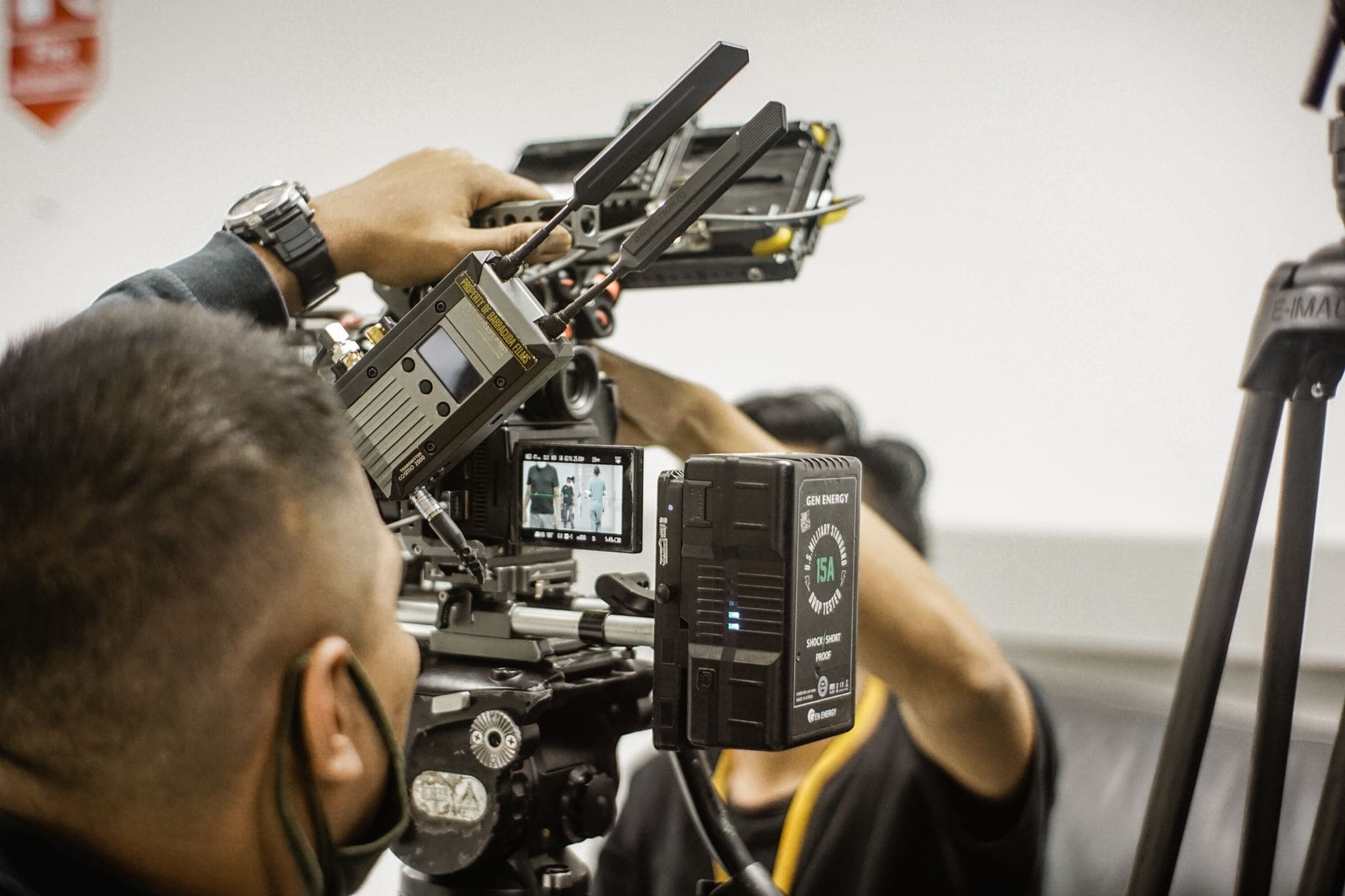
The SmallHD Indie 7 sits at around $849 and it’s earned its reputation. The 7-inch, 1920×1200 panel hits 1000 nits, which is enough to work in partial shade and most indoor environments. It runs SmallHD’s PageOS 4 software, which means you get a genuinely usable touchscreen interface, clean waveform and vectorscope tools, and frame guides that actually hold their position.
The honest downside: 1000 nits isn’t enough for direct midday sun on a parking lot exterior. You’ll be tenting or blocking. It’s also a touchscreen-first design, which can be annoying when you’re wearing gloves in Vancouver in January. Battery life on Sony L-series batteries is solid, around 2.5 hours per battery at normal brightness.
Best for: Camera operators who need a reliable, mid-sized monitor that handles focus peaking, false color, and scopes without a steep learning curve.
Atomos Shogun Ultra: For DITs Who Need the Full Picture
At around $1,499, the Atomos Shogun Ultra is a different beast. It’s a 7-inch, 2000 nit HDR monitor that also records Apple ProRes RAW and ProRes internally to SSDs. If you’re a DIT running a cart on a commercial shoot with a RED or ARRI feeding your station, the Shogun Ultra lets you monitor, record a dailies-ready file, and grade on the fly.
The Atomos ecosystem is well-supported, and the waveform tools are accurate enough to trust. The interface takes longer to learn than SmallHD’s. And the SSD recording workflow adds complexity. If you’re buying this just for monitoring, it’s probably more than you need. But if you’re a DIT who needs to justify one piece of kit doing two jobs, it makes sense.
Real drawback: the Shogun Ultra runs warm. Extended recording sessions in a hot exterior environment can cause thermal throttling. Keep it in shade when you can.
Lilliput A7S: The Honest Budget Pick
If you’re just starting out, or if you need a B-camera or focus puller monitor that isn’t your main reference, the Lilliput A7S at around $229 deserves a look. It’s a 7-inch, 1920×1200 panel running at 500 nits. It has HDMI in and out, basic peaking and zebra tools, and a clean enough image for what it costs.
You’re not going to trust it for critical color decisions. The panel uniformity isn’t consistent enough, and the scopes are functional but coarse. But for a second monitor on a low-budget feature, a student film, or an operator who’s just building their first kit, it does the job without a $700 investment.
If you’re newer to the industry and figuring out which gear to prioritize, checking the film industry employment starter pack is a useful way to understand what gear expectations look like at different levels of production.
Flanders Scientific BM070: The Reference Monitor Argument
At $1,995, the Flanders Scientific BM070 is what serious DITs use when accurate color is non-negotiable. It’s a 7-inch 1920×1200 panel calibrated to SMPTE standards out of the box, with real ISF calibration support, a 10-bit IPS panel, and a build quality that feels like it was made to survive a decade of cart life. Because it was.
The waveform and vectorscope are the most accurate of anything in this size class. If you’re color grading on set, feeding a live LUT to a director, or building a cart for high-end commercial or episodic work, this is what you want.
But. It’s not a camera operator’s monitor. It’s heavy, the brightness tops out at 400 nits (it’s designed for shade use), and the interface is utilitarian. It does one thing exceptionally well. That’s the point.
What Actually Matters: Brightness, Scopes, and Build
Three things determine whether a field monitor works on set. Brightness. Scope accuracy. And whether it survives the job.
Brightness: 500 nits is indoor or tented use only. 1000 nits covers most practical scenarios. 2000 nits gives you real outdoor flexibility. Anything claiming 3000+ nits in a consumer-priced package, be skeptical of the sustained spec versus peak burst brightness.
Scopes: waveform and vectorscope accuracy matters more than any other feature. A monitor with a beautiful panel but soft scopes will get you in trouble. SmallHD and Flanders Scientific are the most reliable here in the sub-$2k range.
Build: SDI connectors that wiggle, HDMI ports that crack after six months, or screens that develop dead pixels after a year in a Pelican case are real problems. Flanders Scientific and SmallHD have track records. Some of the cheaper Chinese brands have improved, but the long-term durability data still isn’t there.
If you’re building a DIT cart from scratch or upgrading your camera op kit, browsing the film production job listings can help you calibrate what level of gear productions in your market are actually expecting. A network spot in Los Angeles has different kit expectations than a regional commercial in Winnipeg.
The Bottom Line: Which One Should You Buy
Here’s the straight answer.
Camera operator building a first serious kit: SmallHD Indie 7. Around $849, well-supported, industry-standard interface, reliable scopes. You’ll see it on sets from indie features to network television.
DIT who needs a monitor and a recording solution: Atomos Shogun Ultra. Around $1,499. More than a monitor, but that’s why it makes sense at a DIT position where you’re justifying the cost across multiple functions.
DIT doing reference color work on high-end shoots: Flanders Scientific BM070. Around $1,995. This is the professional standard for critical color. No shortcuts.
Budget or secondary monitor: Lilliput A7S. Around $229. Honest tool for the right job. Don’t use it as your primary reference.
You can also pick up accessories and rigging for any of these setups through Adorama, which carries the full SmallHD, Atomos, and Flanders Scientific lines with competitive pricing. Worth bookmarking if you’re spec’ing out a full cart build.
If you’re newer to the industry and trying to connect with working professionals who can tell you what gear is actually showing up on set in your market, the crew directory is a good place to start those conversations.


Key Takeaways
The best field monitors for filmmaking in 2026 come down to matching the tool to the role, not buying the most expensive option.
- The SmallHD Indie 7 ($849) is the most practical all-around monitor for working camera operators, with reliable scopes, a strong ecosystem, and industry-wide adoption.
- The Atomos Shogun Ultra ($1,499) makes sense for DITs who need to record and monitor from one device, but it’s overkill if you’re only monitoring.
- The Flanders Scientific BM070 ($1,995) is the correct choice for critical on-set color reference work, calibrated to SMPTE standards and built to last.
- The Lilliput A7S ($229) is a legitimate budget option for secondary monitoring positions, not for primary color or exposure decisions.
- Brightness spec, scope accuracy, and build durability matter more than panel size or feature count when evaluating any field monitor.
Buy the monitor that fits your actual role on set, and you’ll use it for years without regret.
FAQs
What’s the difference between a field monitor and a reference monitor on set?
A field monitor is designed for on-camera or cart use, built to survive bumps and variable light conditions. A reference monitor, like the Flanders Scientific BM070, is calibrated to a color standard and used when you need to make accurate grading decisions. Most camera operators use field monitors. DITs doing color work need reference-grade displays.
How many nits do I actually need for outdoor shooting?
1000 nits gets you through most overcast or partially shaded outdoor scenarios. For direct sunlight, you want 2000 nits or a good matte sun hood. Below 500 nits is indoor or fully tented territory. Don’t trust peak nit specs alone, look for sustained brightness ratings.
Do I need SDI inputs or is HDMI enough?
On professional sets shooting with ARRI, RED, or Sony Venice cameras, SDI is the standard. HDMI is fine for smaller productions, DSLRs, and mirrorless cameras. If you’re building a kit for higher-budget work, get a monitor with both. The SmallHD Indie 7 and Atomos Shogun Ultra both cover you here.
Is the Atomos Shogun Ultra worth it if I’m not recording to SSD?
Probably not. If you only need monitoring, the SmallHD Indie 7 or Flanders Scientific BM070 are better tools at a lower price or equivalent price with more accurate scopes. The Shogun Ultra’s value proposition is the dual monitor-recorder workflow.
What accessories do camera operators typically need alongside a field monitor?
At minimum: a sun hood, a monitor arm or cold shoe mount, and at least two batteries. For cart use, a proper articulating arm like a Noga or SmallRig configuration is standard. Cable management matters more than most beginners expect when you’re rigging for an all-day shoot.
Ready To Upgrade Your On-set Monitoring Setup?
The monitor sitting on your camera or cart is part of your professional reputation. If your exposure calls are off because you’re working off an unreliable display, that follows you. Pick the monitor that matches your actual role, buy once, and learn it cold before you show up on set with it.